
Everything the platform runs, and what it is for.
Five areas: people, academics, operations, communication and management visibility. Each item below is a screen in the app today.
Everything the platform runs, by what it is for.
Each of these is a screen in the app today. Nothing on this page is planned; it is all running.
Organize your institution
People
Learners, guardians, faculty and staff as records with history, and a sign-in for each that shows exactly what their role allows.
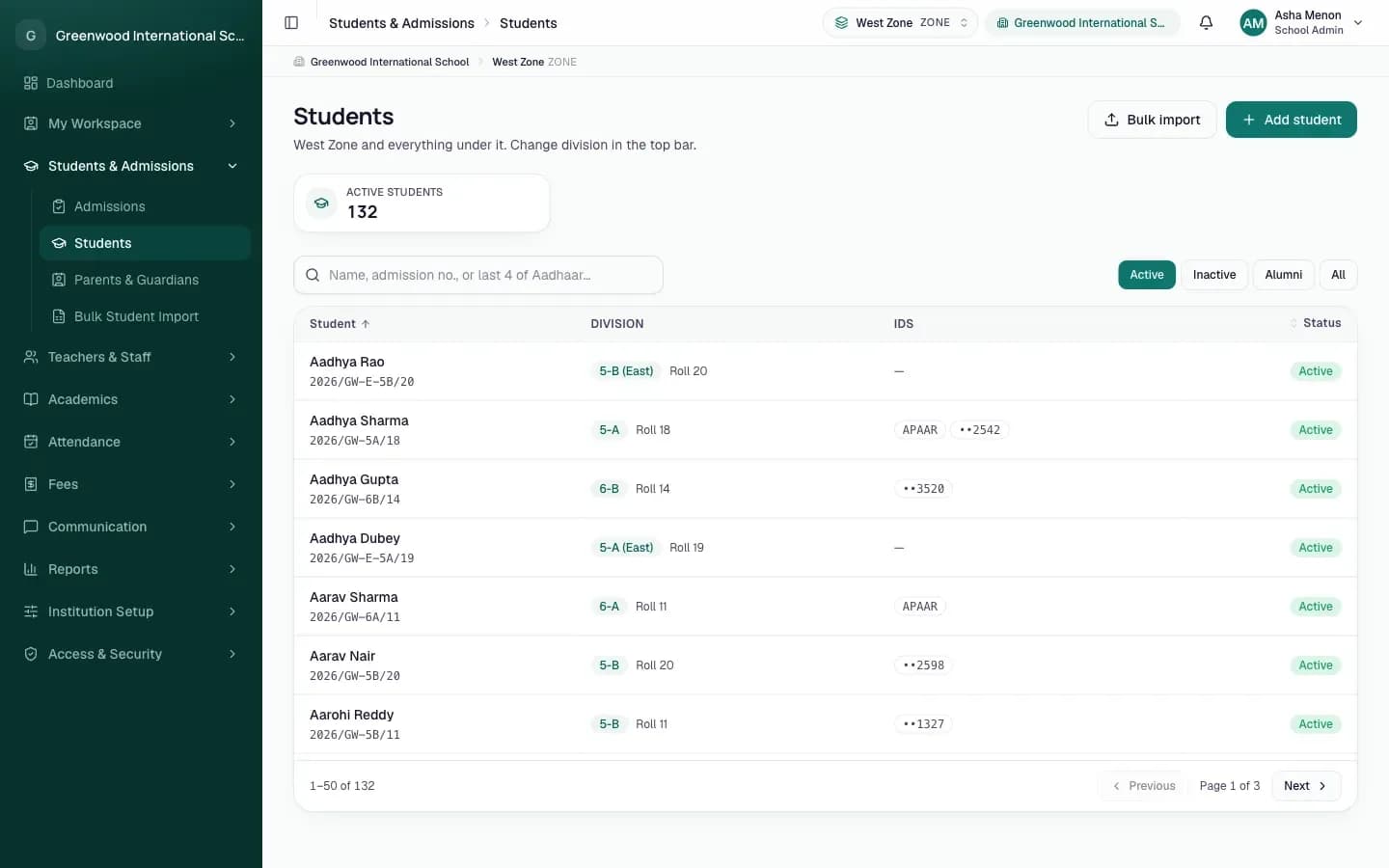
- Learner records
- Profiles, placement in an academic group, documents, transfer, promotion, withdrawal.
- Admissions
- Applications reviewed, decided, allocated and enrolled. One step creates the learner.
- Parents and guardians
- Linked to their own learners, invited to sign in.
- Faculty and staff
- Teaching assignments; employment records with history, shifts and documents.
- Roles and access
- What a role may do, on which part of the institution, enforced by the system.
- Bulk import
- Learners, transfers, promotions and guardians from a spreadsheet. All rows or none.
Run academic operations
Academics
The academic structure, the session, the schedule and the assessments, with the rules an institution actually has: clashes caught, marks kept with their history.
- Academic structure
- Campuses, programmes and groups, in the levels and names your institution uses.
- Sessions and terms
- One current academic session; terms where you place learners by term.
- Subjects and periods
- Subjects per session; the periods of the day.
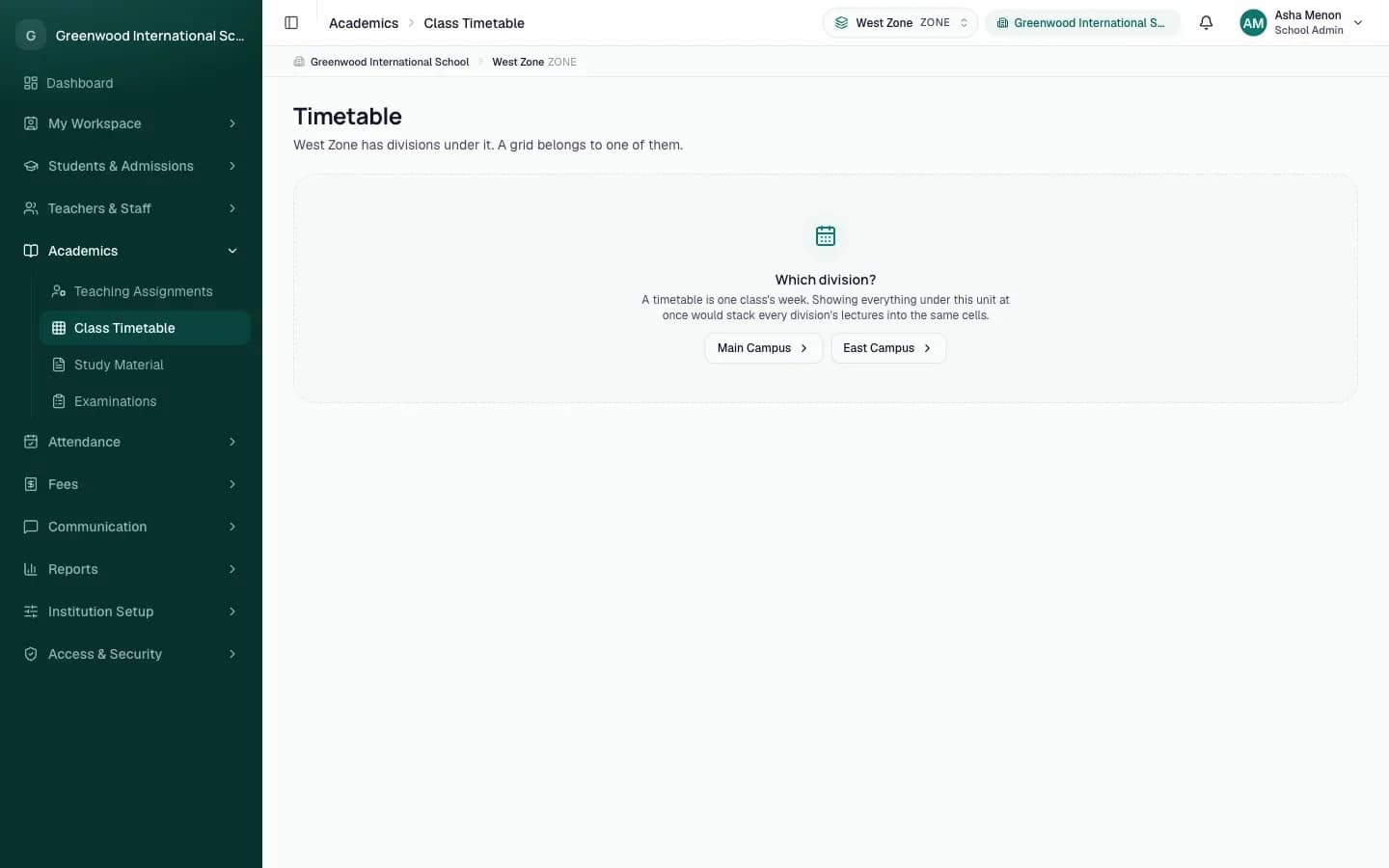
- Timetable
- The weekly grid; faculty, room and group clashes named; cover when someone is away.
- Assessments
- Examinations, papers, marks with revisions, grade bands; results published to families.
- Study material
- Notes, homework and papers published to a group; families read them in their feed.
Create structured processes
Operations
The everyday work of the institution, recorded as it happens instead of reconstructed later from registers and messages.
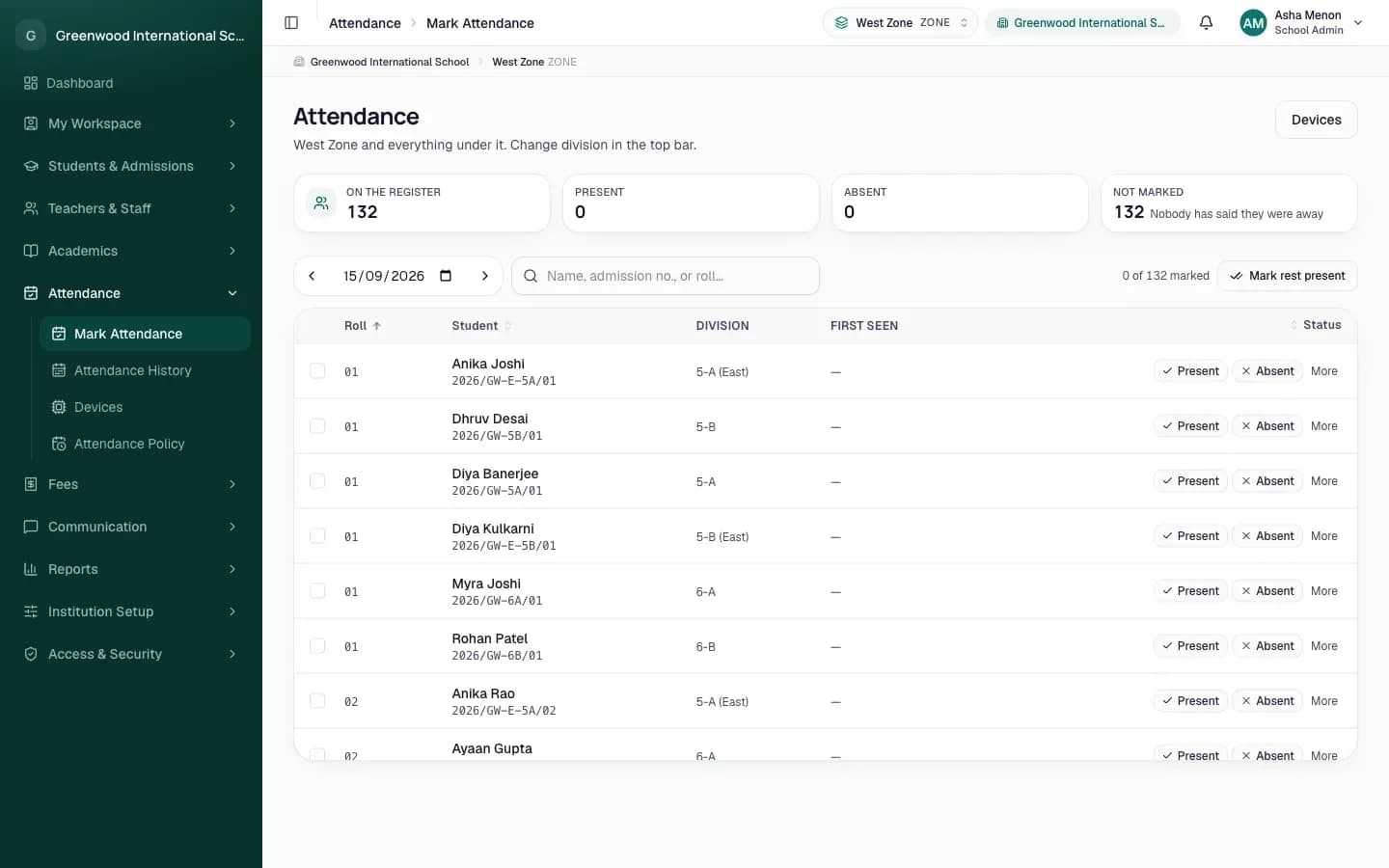
- Attendance
- A register by hand, or face-recognition devices at the gate; holidays, weekly offs, dated policies.
- Fees
- Charges, structures, bills, part payments, receipts, reversals, concessions.
- Staff leave
- Applied for, approved with the affected sessions covered or cancelled.
- Departments and shifts
- Where staff belong and the hours they are judged against.
- Numbering and branding
- Admission and employee number patterns; your name and colours.
- Setup checklist
- Says what is still missing, in the order it has to be done.
Connect teams and learners
Communication
Announcements to the whole institution, a campus or a role; and notices that reach the right people on their own when something happens.
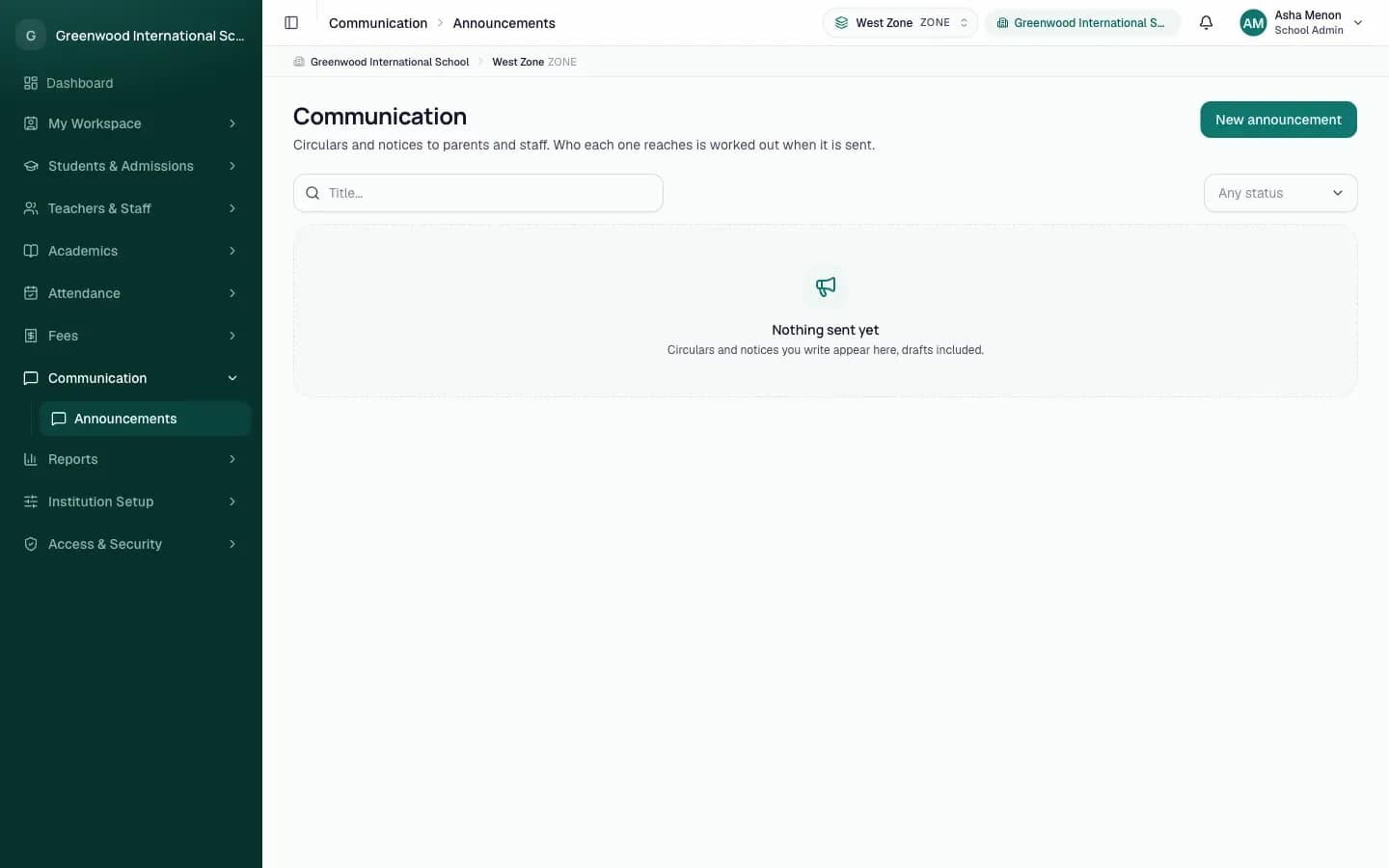
- Announcements
- Sent now or scheduled; every delivery tracked, failures retried.
- Absence notices
- Each night, a guardian hears if their learner was not recorded present.
- Results, material, cover
- Families and faculty are told the moment it happens.
- In-app and on the phone
- A live inbox in the app, push notifications on registered phones.
Give management visibility
Management visibility
Reports from the data the institution already keeps, a trail of who changed what, and for a group, every institution side by side.
- Reports
- Toppers, subject rankings, attendance by unit and range, CSV export.
- Progress
- A learner's results session by session, for the learner and their guardians.
- Audit trail
- Every change that matters: who, what, when, from where.
- Several institutions
- One organization, several institutions, one management view.
- Plan and seats
- What each institution is on, seat use, the next bill.
One structure. Everything else stands on it.
A group exists before a learner can be placed in it; faculty are assigned before a session is timetabled; a session exists before attendance is marked against it. Because every module reads the same structure, a guardian's sign-in, a faculty member's register and management's reports always agree.
Organization
modules · roles · branding
Academic structure
campus → programme → group
Academic session
subjects · periods · terms
Learners
placed in a group
Faculty
assigned to groups
Timetable · Attendance · Assessments · Fees · Leave · Material
the day's work
Notifications
inbox · push · email
Guardians · Learners · Staff · Management
each sees only their own
Nobody is told twice, and nobody is left out.
Notices arrive in the app as they happen and on registered phones. Email is kept for what needs it. What was sent, to whom, and whether it arrived is on record, and a failed delivery can be retried.
| When | Who hears | How |
|---|---|---|
| A learner was not recorded present today | Their guardians | In-app, push, email |
| An assessment's results are published | Guardians of its learners | In-app, push |
| Notes or homework are published to a group | Its learners and their guardians | In-app, push |
| A session is cancelled, covered or added | The faculty member, the substitute, the group, the office | In-app, push |
| An announcement is sent | The institution, a campus or a role | In-app, push |
| A fee concession is decided | Whoever asked | In-app, push |
| Leave is approved or refused | The applicant | In-app, push |
| An invitation, sign-in code or password reset | The person |
Management visibility without a reporting exercise.
Nothing here is a separate system to fill in. Attendance, marks, fees and changes are recorded as the day happens; leadership reads them back, across one institution or several.
- Toppers and subject rankingsFrom the marks already entered, per assessment and per unit.
- Attendance by unit and rangeCounts by state, day by day, exportable as CSV.
- Progress, session by sessionA learner's published results across every session they were here.
- Audit trailEvery change that matters, with who made it and when; a record's own history on its page.
- Institutions side by sideFor an organization with several: learners, staff, present today, fees outstanding, open applications, per institution.
- Plan and seatsWhat the institution is on, how many seats it uses, the next bill.
One platform for everyone who shapes a child's day.
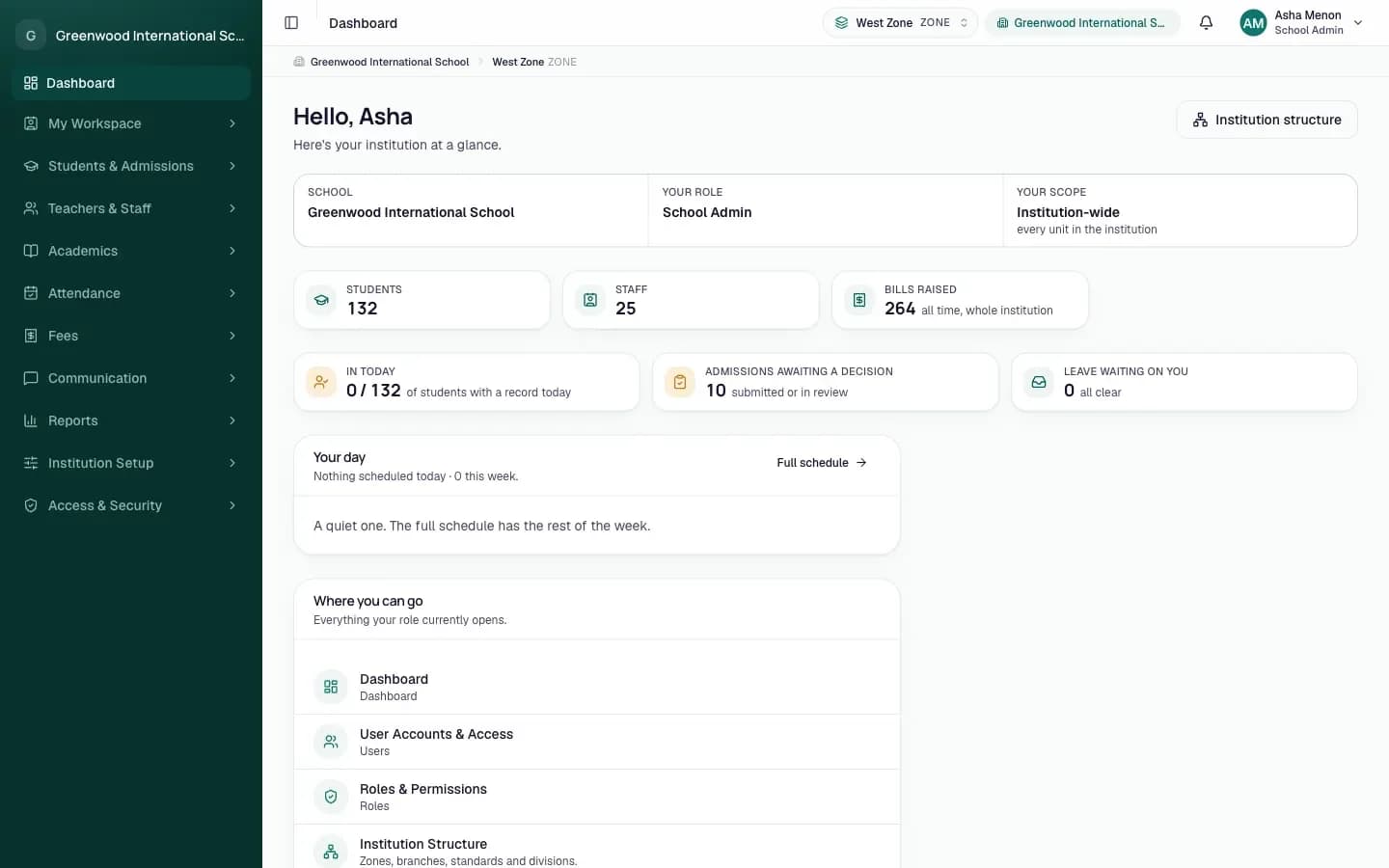
Leaders, teachers, office staff, parents and students each have their own view, on the web and in the SOL Assists app. Everyone sees exactly what they need, and nothing they should not. If you run several institutions, management sees them all from one portal.
Runs the institution day to day.
- Set up campuses, classes, sessions and subjects
- Add students, parents, teachers and staff, and invite them in
- Decide who can see and do what
- Plan the timetable, track staff attendance, approve leave
- Raise fee bills, record payments, send announcements
- Publish results, read reports and see who changed what
How SOL Assists works: six steps, in the order the app itself checks.
The Setup Checklist says what is still missing and will not let a later step pretend an earlier one is done. This is that order.
- 01
SOL onboards you
Your institution, its modules and your administrator's account are created. You receive an invitation.
- 02
Academic structure
Campuses, programmes and groups, in your own names, down to the group a learner sits in.
- 03
Session, subjects, periods
The current academic session, its subjects and the periods of the day.
- 04
Faculty
Sign-ins with a teaching role and the groups each person teaches.
- 05
Learners and guardians
Added one at a time, imported from a spreadsheet, or admitted through applications; guardians linked and invited.
- 06
Timetable
The weekly grid, with clashes caught as you place each session.
Then, every day
Attendance
The register each morning, or the gate device; the day closed at night.
Teaching
Today's sessions, cover when someone is away, material published.
Assessments
Marks entered while the assessment is open; results published to families.
Fees
Bills raised, payments received, receipts issued.
Communication
Announcements sent; every notice tracked.
Reports
What happened, by unit, by range, by assessment.
Built for organizations that hold important data.
Learner records include minors, guardians, identity documents and fee receipts. The controls below are how the platform handles them.
Role based access
A role, on a part of the institution; checked on the server on every request.
Institutions kept apart
Each organization's data is separate; inside a group, each institution's records are its own.
Audit trail
Every change that matters is recorded with who, when and from where.
Private documents
Photographs and documents sit in a private store and open only by short-lived links.
Encrypted identifiers
Aadhaar numbers are stored encrypted; revealing one is a permission and is audited.
Invitations, not passwords
Nobody is handed a password. Each person opens a single-use link and chooses their own.
We do not claim certifications we have not completed. If your procurement process needs specific compliance documentation, tell us what you need and we will tell you exactly where we stand.
Let's build a brighter future for every child, together.
Students, staff, parents, reports and your brand: everything your institution needs, in one platform. We set up a demo around your own classes and structure, walk you through a normal day, and share where we are headed next.
solassists.com